

WooCommerce
Type your store's address and approve Sourship in your WordPress admin. Your site needs https and any permalink setting except Plain.
New orders arrive straight away
Connect WooCommerce, Shopify, Etsy or eBay. New orders come in by themselves, your stock levels go back out, and every parcel's tracking number follows.
Once a store is connected, this is what travels between it and Sourship without you copying anything.


Each order lands in Sourship with its products and address. Set it to pay from your wallet automatically, and it ships without you touching it.
When your stock changes, the quantity on your store follows, so a product that has sold out stops selling.
When the parcel leaves our warehouse, its tracking number goes back to the order on your store.

No code to install, and no password to hand over.
In Sales Channels, pick WooCommerce, Shopify, Etsy or eBay and press Connect.
Etsy and eBay need nothing typed: you approve Sourship on their own site. WooCommerce and Shopify ask for your store's address first.
Your new store shows what is left to do: the store check, its settings, linking products, allocating stock and your first order.
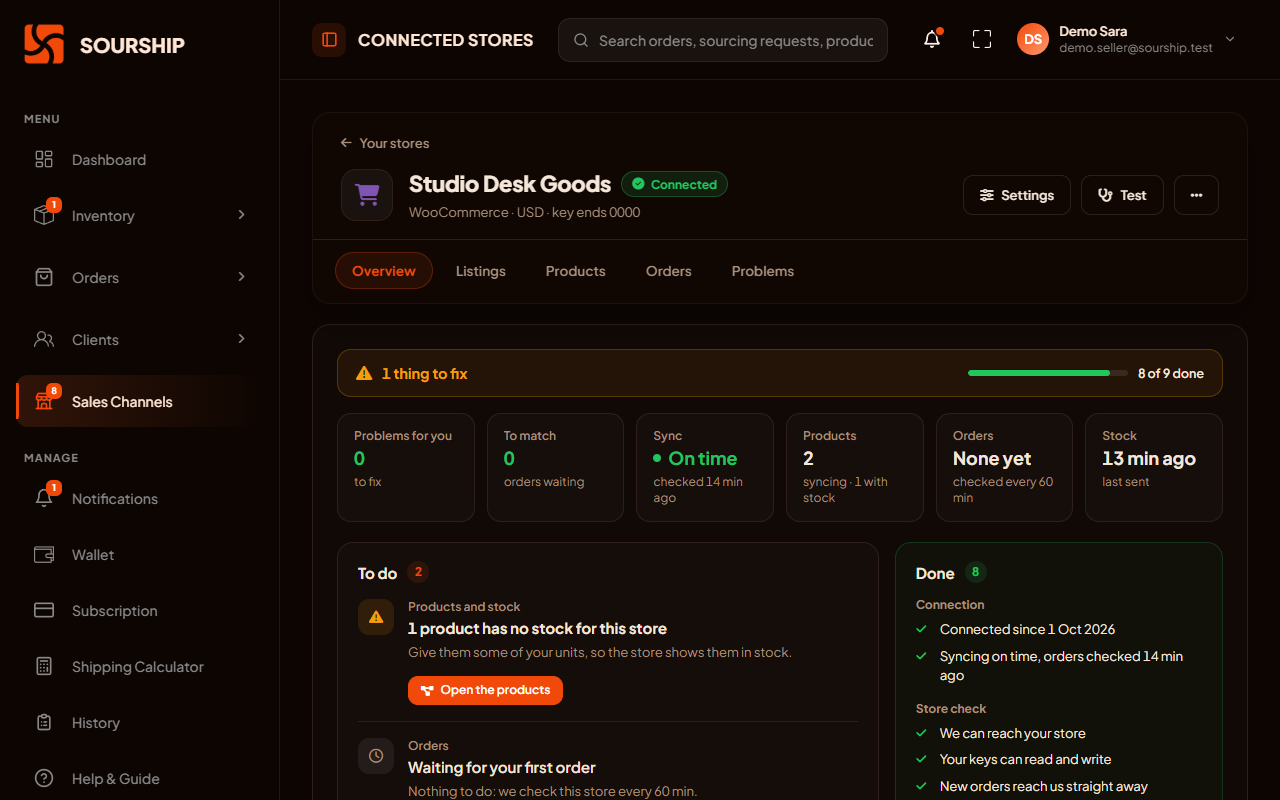
We never ask for your store password. Access is approved on the platform, and disconnecting removes it.
Every platform works a little differently. This is how each one works with Sourship.
Type your store's address and approve Sourship in your WordPress admin. Your site needs https and any permalink setting except Plain.
New orders arrive straight away
Type your shop's address and approve the Sourship app.
New orders arrive straight away
Nothing to type: you approve Sourship on Etsy. Orders come in, and stock levels and tracking go back. Your listings stay yours: we never create them. Etsy itself allows only items you designed, and craft or party supplies.
Checked regularly, and whenever you open your orders
Nothing to type: you approve Sourship on eBay. Its listings get their own version of the builder, with auction, Best Offer and eBay's item specifics.
New orders arrive straight away
To publish listings, you also set
Your stock sits in one warehouse and can sell through several stores without ever being sold twice.
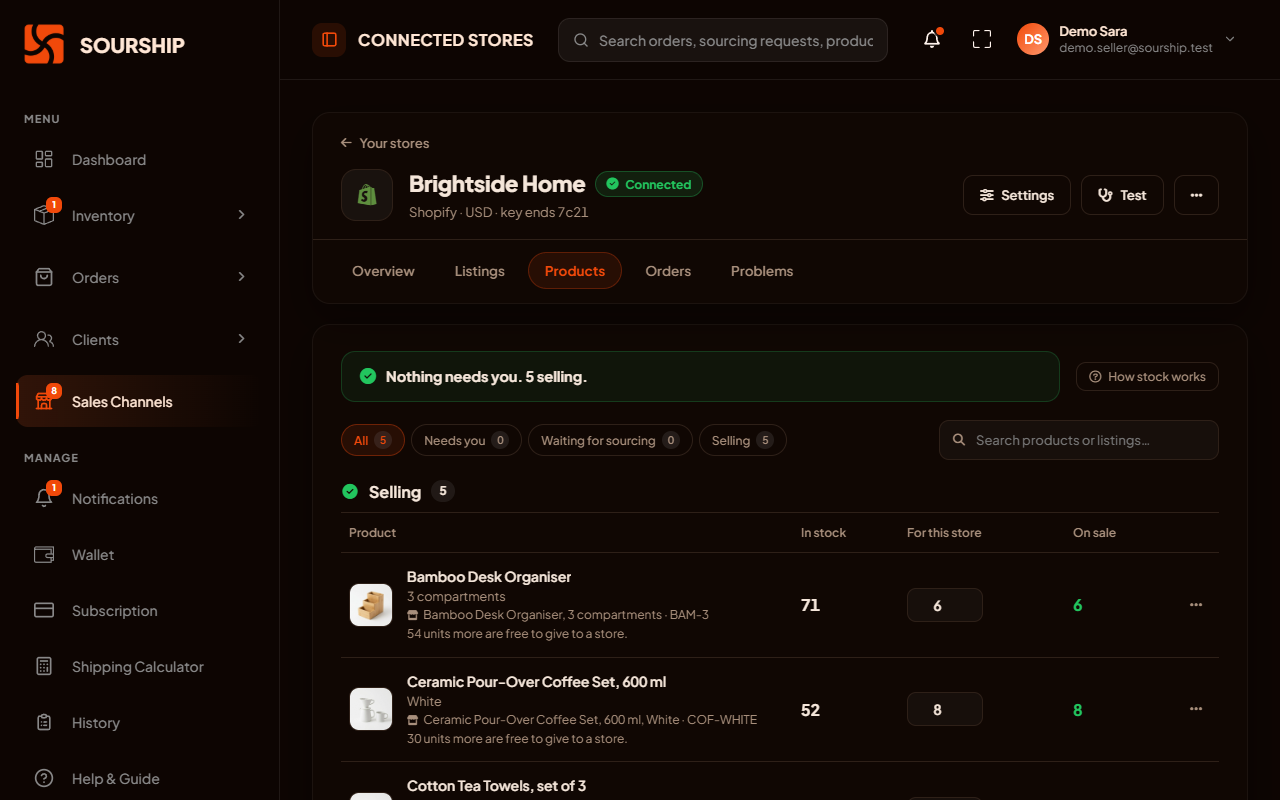
Set how many units of a product each store may sell. A unit is offered by one store at a time, so two stores can never sell the same one.
Choose, for each store, whether a sold-out product shows as sold out, disappears, or keeps selling.
Link each listing on your store to a product in your inventory, once. If you do not stock it yet, ask us to source it, and the link switches on when the goods arrive.
Build one listing for your WooCommerce, Shopify and eBay stores at once. WooCommerce and Shopify receive it as a draft. On eBay, it goes on sale once units are allocated to it.
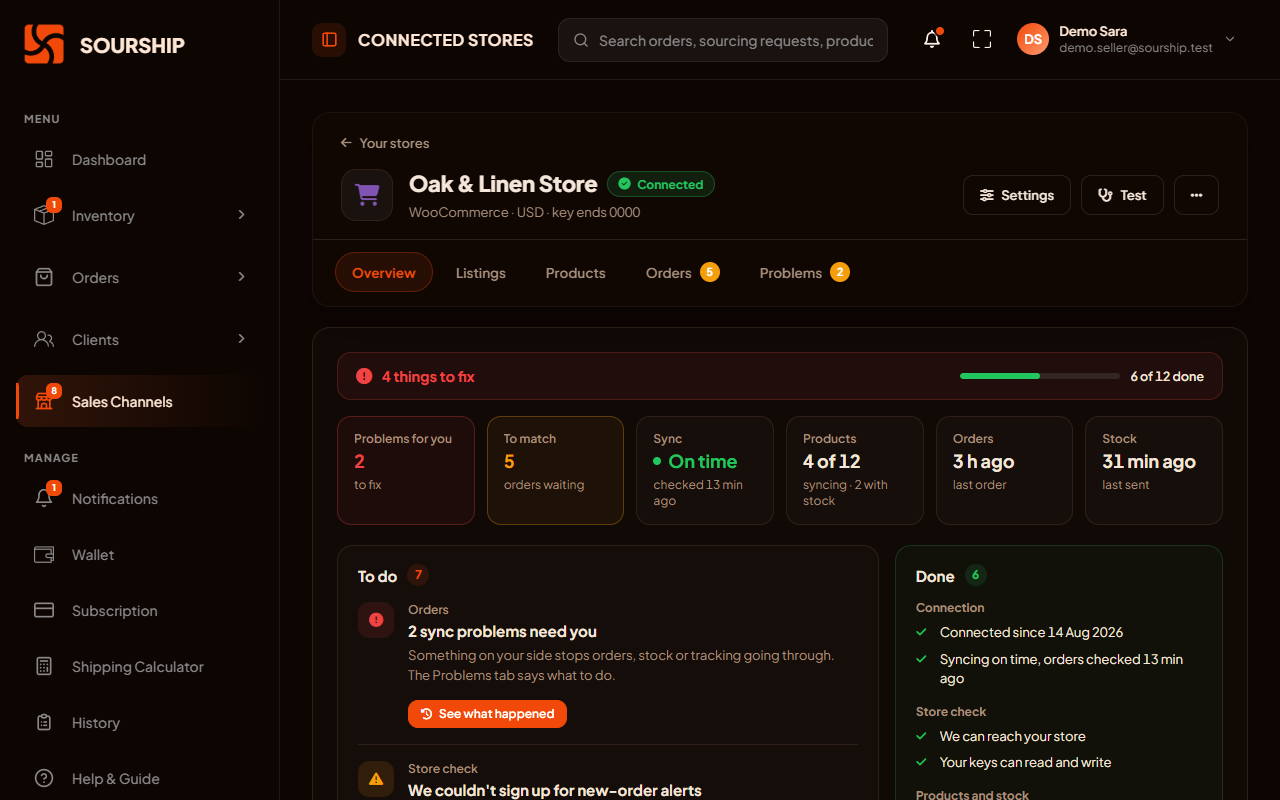
A store connection can break for reasons that have nothing to do with you. The app says what went wrong, and what to do about it.
It checks the store straight away and repairs what it can on its own, such as an expired connection.
When something goes wrong, the store says what it is in plain language, with a button that takes you to the fix.
Every order received and every stock update sent is listed, with problems kept apart. A problem closes by itself once the same thing works again.
An order for a listing we do not recognise waits here. Tell us which product it is once, and every later order for that listing matches by itself. Nothing is charged while it waits.
The promises in our Store Data Policy, in short.
We use your store's data to fulfil your own orders, and for nothing else.
Access is approved on the platform itself, and we ask for the narrowest permissions the work needs.
No emails, no messages, no marketing. Only you and the carrier are in touch with them.
Disconnecting removes our access and erases that store's buyer names, contact details and addresses.
What sellers ask before they connect a store.
WooCommerce, Shopify, Etsy and eBay, on every plan. One account can connect several stores, and they can sell the same stock without ever selling a unit twice.
Shopify, WooCommerce and eBay send each new order to us straight away. Etsy cannot, so we check your Etsy shop regularly, and every time you open your orders list.
Nothing is lost. Store orders that arrive after your monthly orders run out are held in a window on your Orders page. Upgrade your plan or buy additional orders from your dashboard, then process them there, oldest first, one order credit each.
It waits on Needs Matching, and nothing is charged while it does. Tell us which product it is once, and every later order for that listing matches by itself.
On WooCommerce and Shopify, no: listings you build in Sourship arrive as drafts, so you decide when they go on sale. An eBay listing goes on sale once units are allocated to it. On Etsy we never create listings: we bring your orders in and send stock levels and tracking back.
Syncing stops, our access is removed, and that store’s buyer names, contact details and addresses are erased. Your products and their links are kept, ready for when you reconnect.
Apply for an account, connect your store from Sales Channels and link your products. New orders take it from there.
Sourship is an independent service. It is not operated, endorsed, certified or sponsored by any marketplace. The term "Etsy" is a trademark of Etsy, Inc. This application uses the Etsy API but is not endorsed or certified by Etsy. Shopify, WooCommerce and eBay are trademarks of their respective owners and are used here only to say which stores Sourship can connect to.