
Search allowance
A separate allowance, one for each new 1688 search, which may also be limited per minute. Product pages, and a search you ran recently, are free.
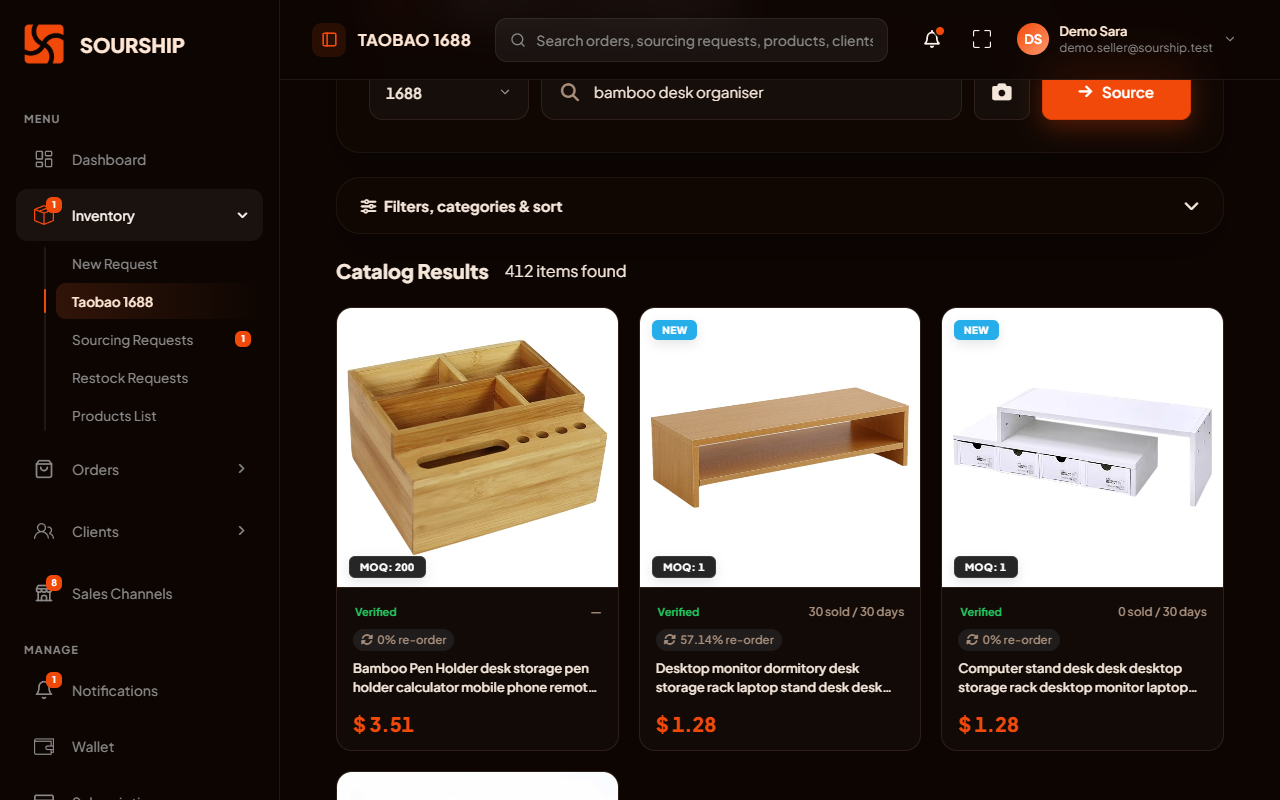
Search the whole of 1688 by keyword, category or photo, and see the price before you ask. Found it somewhere else? Send the link, and we price it within 48 hours.
Not a catalogue someone picked for you: the supplier listings themselves, with their prices.
Type a keyword in English, paste a 1688 link, browse a category, or upload a photo of the product (JPG or PNG, up to 5 MB).
Sort by best match, top sales, repurchase rate or price, and set a price range. Repurchase rate shows which products buyers come back for.
Each new search counts against your plan's search allowance, never your sourcing credits. Opening a product page costs nothing, and repeating a recent search is free.
Send the link from Taobao, AliExpress, JD or a factory's own site, with a photo, and our team prices it within 48 hours.
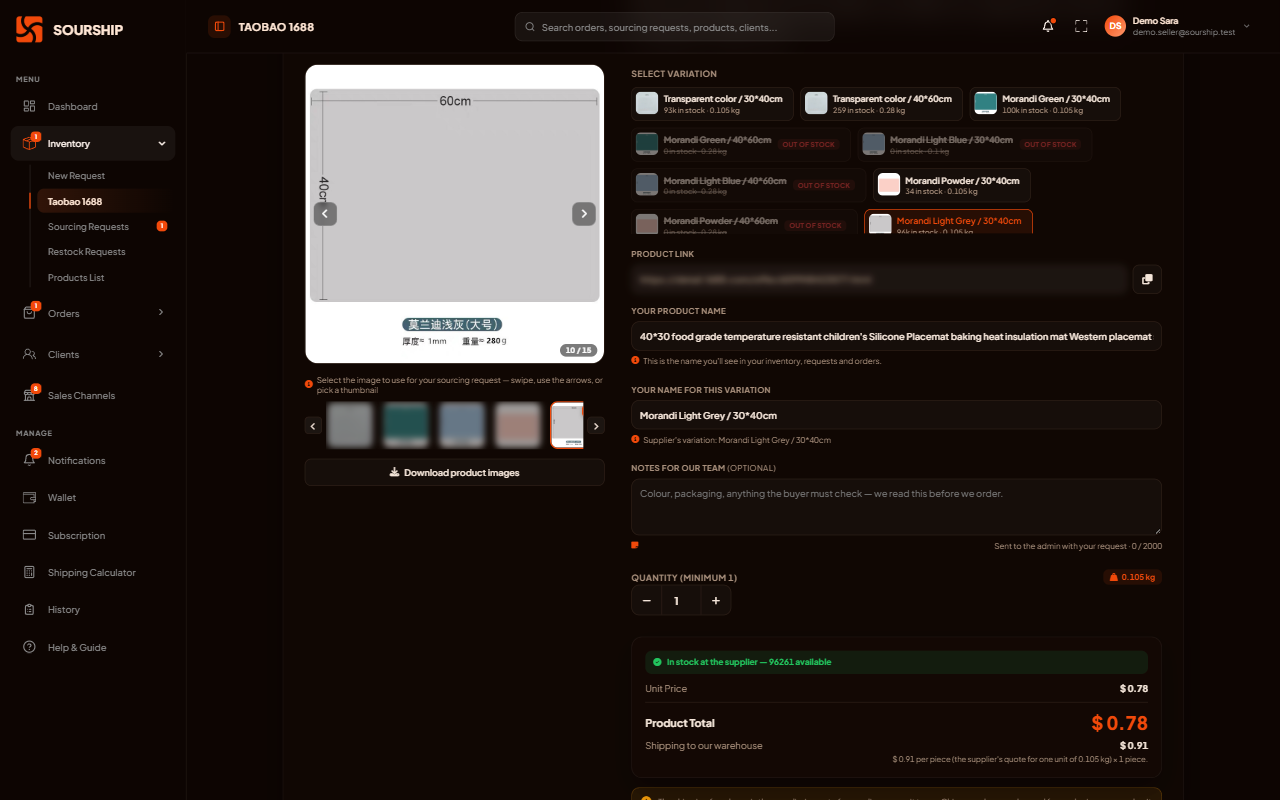
Every product page shows what the supplier shows, translated where possible.
Pick the exact colour or size. Each variation shows the supplier's stock and its weight.
The quantity starts at the supplier's minimum and moves in their pack size, so you never ask for an amount they will not sell.
Prices are for the product alone: the supplier's price plus a small conversion adjustment. The supplier's delivery to our warehouse is shown separately on each product.
The weight is what your shipping estimate uses when you sell, so you can work out your margin before you buy.
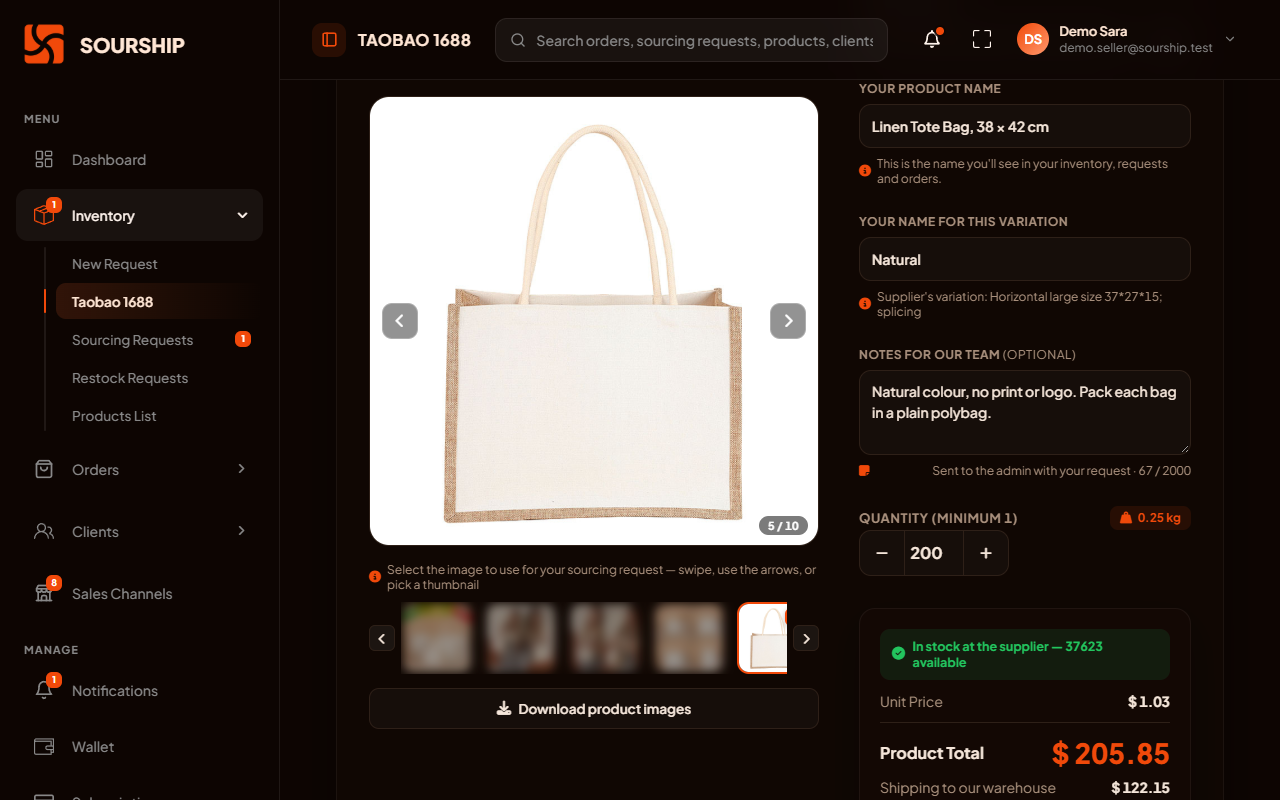
Choose, tell us what to check, and see the total before you send it.
Give it a short name you will recognise later in your inventory and your orders.
Colour, packaging, labels: anything you write in the notes, our team reads before we buy.
A summary shows the product price and the supplier's delivery to our warehouse before anything is sent. No agent commission is added.
If your wallet covers the total, the request is paid straight away. If it does not, it waits until you top up and pay.
Already have this product in stock? The same button sends a restock request, which uses no sourcing credit, and the new units join the same product when they arrive.
From the moment you send a request to the day the goods are in your stock.
Each request shows where it stands in Sourcing Requests, with a notification every time it moves.
When our team prices it
We are checking the product and setting its price. A 1688 request whose price is confirmed goes straight to Paid.
Only when needed
Priced and waiting for you: your wallet was short, or we need you to confirm a price we set.
We are buying the goods, and the supplier is sending them to our warehouse.
Checked, weighed and in your Products List, ready to sell.
Changed your mind? You can ask to cancel within 24 hours of creating a request. If our team approves it, the money goes back to your wallet. Once we have placed the purchase order, tell us within 7 days: you pay the return shipping and any supplier fees, we credit what the supplier refunds, and some suppliers refuse.
Every plan includes a monthly allowance of each, which resets each month and does not carry over. You can buy more inside the app at any time, and sourcing credits you buy do not expire.
A separate allowance, one for each new 1688 search, which may also be limited per minute. Product pages, and a search you ran recently, are free.
One for each product added to your inventory, whatever quantity you buy, including a product you ask us to source for a listing. Restocking a product you already hold uses none.
Credit packs are paid from your wallet. When you run out, the app tells you, and a pack is one click away.
The bigger plans add people who work on your supply for you.
On Advanced and Pro, our team negotiates better prices with your suppliers.
On Pro, help choosing the factory, designing the product and building your brand.
On Pro, custom packaging and tags with your own brand, on request.
What sellers ask before their first request.
The search inside the app covers 1688. For any other supplier, on Taobao, Tmall, AliExpress, JD or a factory’s own site, send us the link with a photo from New Request: our team checks the supplier and prices the request within 48 hours, the same way as for 1688.
Our team finds the product, checks the supplier and prices it within 48 hours, and you get a notification when it is priced. The amount is then taken from your wallet if it covers it; if it does not, the request waits until you top up and pay.
Only the supplier’s. The quantity starts at the supplier’s minimum and moves in their pack size. Many 1688 products start at a single unit, so you can test a product before you buy more of it.
The supplier’s price plus a small conversion adjustment, and the supplier’s delivery to our warehouse. On a 1688 product, both are shown before you send the request. No agent commission is added. Shipping to your customer is paid later, with each order.
Yes, within 24 hours of creating it, once, with a reason. Our team reviews the request, and if it is approved, what you paid goes back to your wallet.
We check them against your request and weigh them, and they appear in your Products List, ready for your orders and your stores.
Apply for an account, top up your wallet and search 1688 from inside the app. We take it from the moment you press send.