
A clear status at every step
Requests, orders and top-ups each show where they stand, so you know whose move it is right now.
Talk to our team on WhatsApp or by email. For everything else, a guide inside the app explains every page with a screenshot, and your account keeps a record of everything that happened.
When your account opens, a member of our team is assigned to you as your own agent: you see their name in your account and message them directly on WhatsApp. Write the way you would to a colleague.
When you would rather read than ask, the answer is one click away.
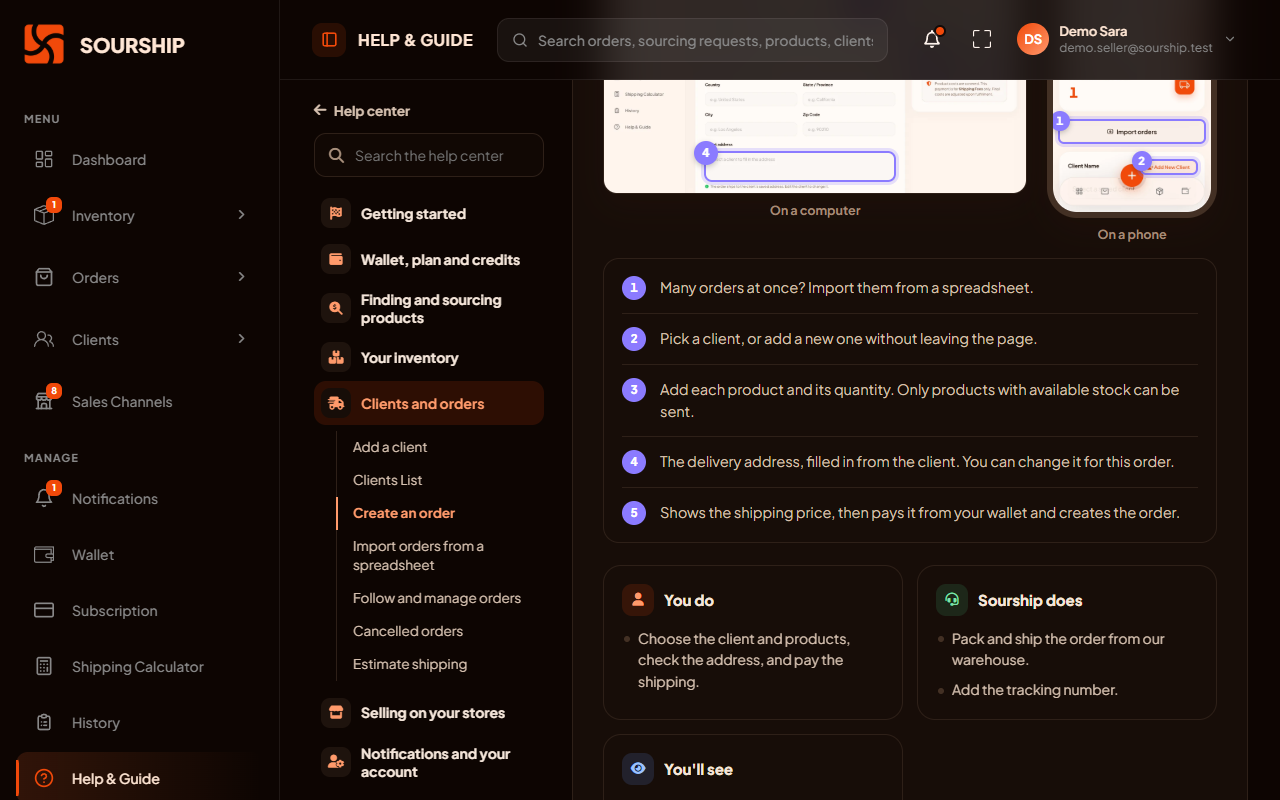
Each part of the app is explained on a real screenshot, with the buttons that matter picked out and described.
Every step says what you do, what our team does, and what you will see when our part is done.
The questions sellers ask most, answered in a line or two, from low credits to a store that stopped syncing.
The guide is in the + menu at the bottom of the screen, wherever you are in the app.
Nothing happens on your account without you being able to see it.
Requests, orders and top-ups each show where they stand, so you know whose move it is right now.
Every time our team prices, ships, approves or refuses something, you are told, with a link straight to it.
History lists everything you and our team did on your account, in order.
The details that could let someone take over an account are not a form away.
Your name, email and WhatsApp number can only be changed by our support team, not by anyone who happens to be signed in.
Changing your password signs out your other devices and keeps this one signed in.
Lost a phone or used a shared computer? End every session at once from your profile.
What sellers ask about getting help.
Through your own agent: every seller is assigned a member of our team, whose name you see in your account and whom you can message on WhatsApp. You can also write to us on WhatsApp or by email; the number and the address are on this page and at the foot of every page.
Yes. Help and Guide, inside the app, explains every page on a real screenshot, with who does what at each step and quick answers to the questions sellers ask most.
You get a notification every time our team prices, ships, approves or refuses something, with a link straight to it. History lists everything you and our team did on your account.
Yes, through our support team. Your name, email and WhatsApp can only be changed by them, so nobody who gets into your account can change where we contact you.
Open Connected Stores and press Test. It repairs what it can on its own, and if a problem remains, the store says what it is with a Fix it button. If that does not solve it, message us.
Message us on WhatsApp and a member of our team will answer, or apply now and ask from inside the app.