
Auction and Best Offer
Fixed price or auction, Best Offer with automatic rules, and Promoted Listings, set where you build the listing.
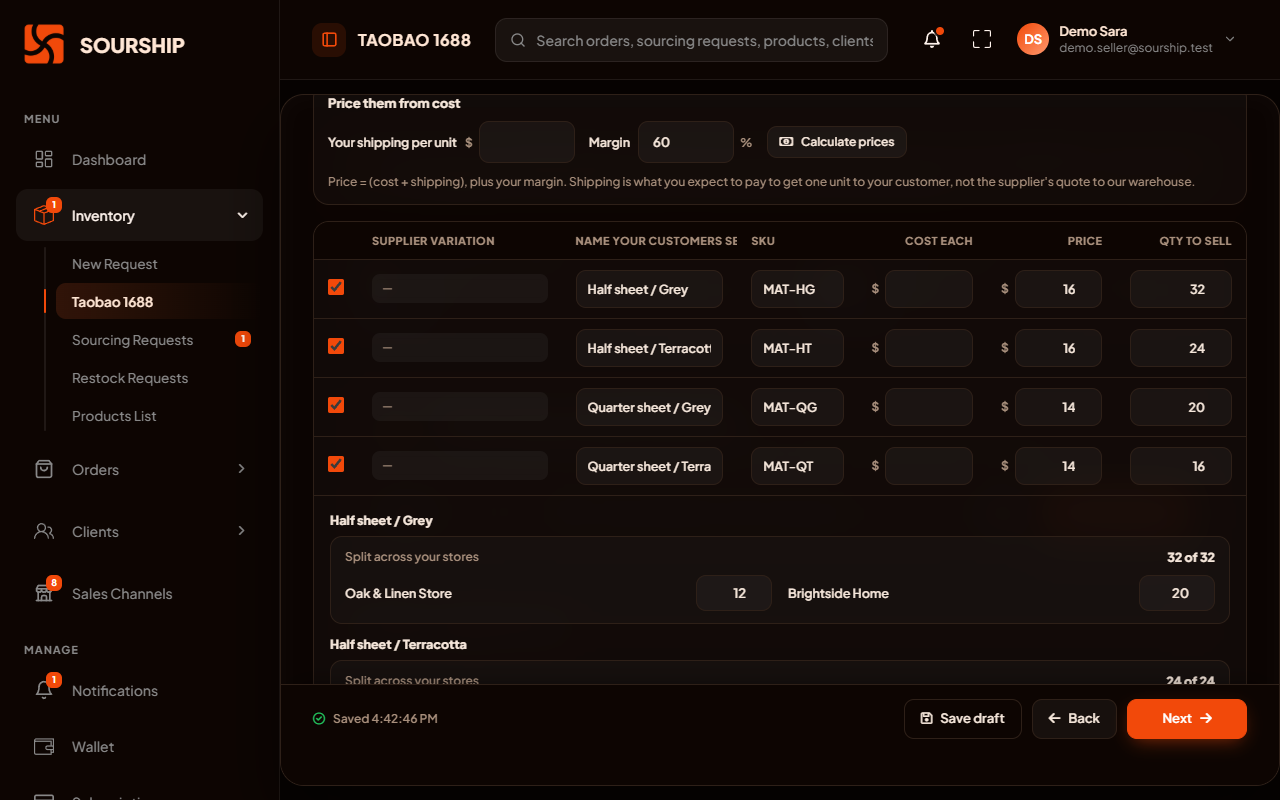
The listing builder creates a product listing for your WooCommerce, Shopify and eBay stores at once and splits the stock between them. WooCommerce and Shopify receive it as a draft. On eBay, it goes on sale once its stock is allocated.
A single set of steps, whether the listing goes to one store or three.
Pick one store or several. eBay gets its own tailored version, with auction, Best Offer and eBay's item specifics.
Use stock you already hold with us. Or start before you own it: we source it for you, at one sourcing credit per variation.
Title, prices, quantities, and how the stock of each variation is split between your stores.
A last summary shows anything left to fix. WooCommerce and Shopify receive the listing as a draft, so you decide when it goes on sale. An eBay listing goes on sale once units are allocated to it.
Selling on Etsy? Connect your shop for orders, stock and tracking. Sourship never creates Etsy listings: yours stay exactly as you made them.
Clean up every picture inside the app, before it goes anywhere near your store.
Choose, reorder and edit the photos and pick the main one. Once you confirm them, we copy them to our own storage.
Rotate, flip, straighten, crop, brightness, contrast, saturation and warmth. They cost nothing and apply instantly.
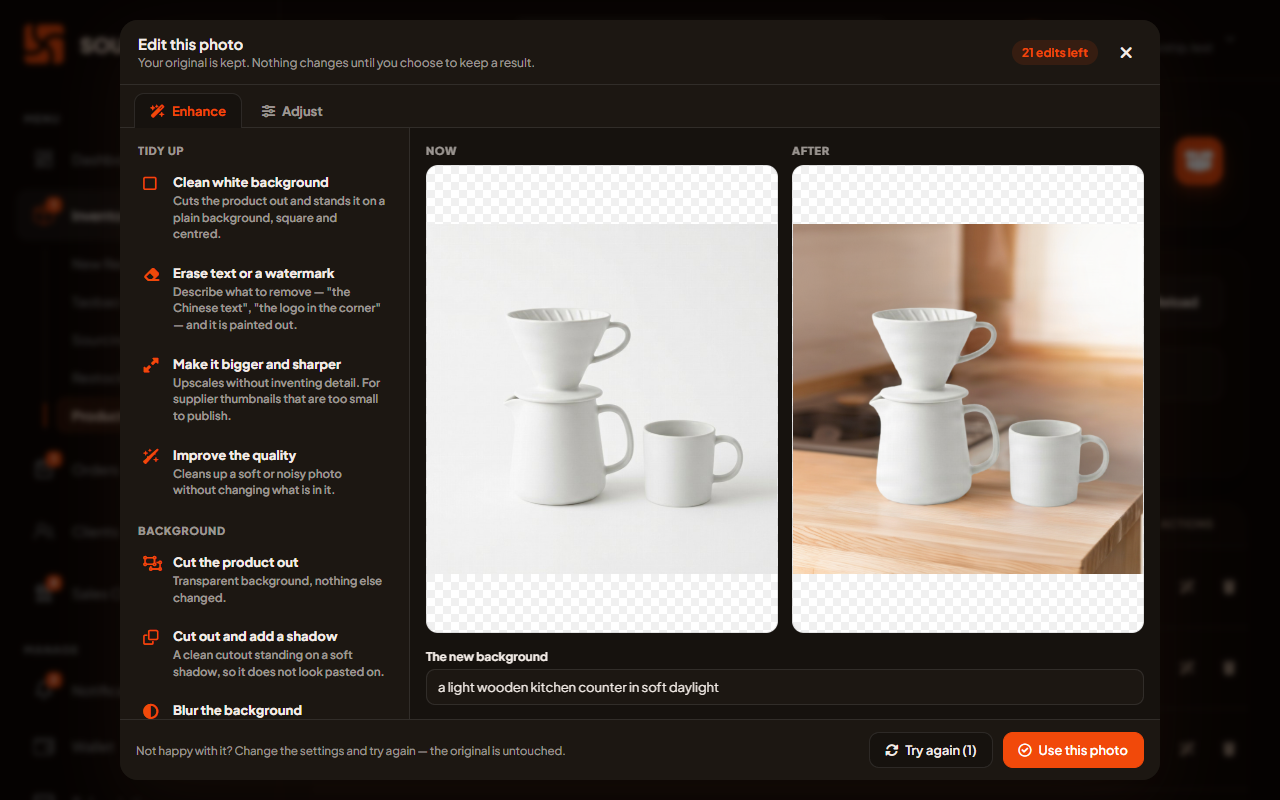
Remove or replace a background, erase an object by describing it, enhance a photo, or turn a product shot into a lifestyle scene. Each edit uses one image edit credit, refunded if it fails.
An edited photo can replace the original, or be added beside it as a new one.
Choose eBay in the builder, and you get eBay's own version of it.
Fixed price or auction, Best Offer with automatic rules, and Promoted Listings, set where you build the listing.
The details each eBay category requires, with eBay's own permitted values.
Design the description buyers read on the page itself, with six designs and eighteen building blocks.
A listing is only as good as the stock behind it. These rules keep the two in step.
Each store may sell the number of units you give it. A unit is offered by one store at a time, so nothing sells twice.
Link a listing already on your store to a product in your inventory, once, and its stock follows from then on.
For each store, choose whether a sold-out product shows as sold out, disappears, or keeps selling.
Every plan includes a monthly allowance, and you can buy more inside the app at any time.
One for each AI edit. An edit that fails gives its credit back.
One for each variation you ask us to source for a listing.
Building, saving and publishing listings, and the free photo adjustments, cost nothing extra.
What sellers ask before they build their first listing.
WooCommerce, Shopify and eBay. On Etsy, Sourship brings your orders in and sends stock levels and tracking back, but never creates listings: yours stay exactly as you made them.
On WooCommerce and Shopify, no: the listing arrives as a draft, and you decide when it goes on sale. An eBay listing goes on sale once units are allocated to it, so it never sells stock that is not there.
Yes. Choose to have us source it, at one sourcing credit per variation, and its stock is linked to the listing when the goods arrive at our warehouse.
The image edit credit it used comes back to you automatically. The free adjustments, from rotating and cropping to brightness and warmth, never use a credit.
Yes. Your work saves as you go. Pick up any half-finished listing from Listing Drafts, whenever you are ready.
Apply for an account, connect your stores and build your first listing from the app. Nothing goes on sale until you say so.
Sourship is an independent service. It is not operated, endorsed, certified or sponsored by any marketplace. The term "Etsy" is a trademark of Etsy, Inc. This application uses the Etsy API but is not endorsed or certified by Etsy. Shopify, WooCommerce and eBay are trademarks of their respective owners and are used here only to say which stores Sourship can connect to.